International Women’s Day: The Hall of Innovation – March Monthly Museum Minecraft - Virtual


Category
Duration
Audience
Age
Grades
Subjects
About this Lesson
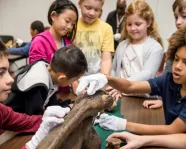
Learn how women’s invention and innovation is represented at ROM, and turn those innovations into a display in the Minecraft Hall of Innovation. Register to access the recorded lesson.
The Hall of Innovation has too many empty spaces. It’s up to us to fill it!
Join Museum Educators and Minecraft Mentors as we explore different galleries at ROM to showcase examples of women’s invention and innovation. Once we learn how women’s discoveries are represented in the galleries, we'll head to the Minecraft Hall of Innovation to make our own museum displays that shine a spotlight on the works of these remarkable women.
You’ll need curiosity and creativity to rise to this challenge. Are you up for it?
This lesson can be done on its own, but we will be adding to the work we did in the Hall of Innovation last month for Black History Month.
| Delivery Language | This lesson is offered in English only |
|---|---|
| Activities |
|
| Format | Virtual Lesson |
| Duration | 1 hour |
| Pricing | Free |
| Minimum Group | n/a |
| Maximum Group | Unlimited |
Available Dates
- March 11, 2026 – 9:30 AM
- After the live lesson airs, classes may register to view the recording.
Learning Goals
Examine examples of women’s invention and innovation that are represented by objects, collections, and programs at ROM.
Represent these achievements through the creative and innovative use of blocks and other items in Minecraft.
Use descriptive and summarizing language to explain their Minecraft creations via label displays for the Hall of Innovation.
French Classes

While the virtual lesson is only offered in English for now, you can follow this tutorial to translate the game language into French.
Dialogue in this Minecraft World will appear in English only if the game settings are switched to French (Canada). However, engagement with the in-game dialogue is not necessary in order to complete this lesson
Preparation
Preparation:
- Students should be comfortable with the basics of Minecraft, including movement and the breaking and placing of blocks.
- Students should also be familiar with using the camera and book & quill to document learning.
- Have students open a browser to joinmyquiz.com just before the session, and enter the join code that will be posted in the pre-show before the lesson begins. This will allow you and your students to communicate with the Museum Educators during the live lesson.
New to Minecraft?
We recommend that students are familiar with the basic Minecraft controls taught in the How to Play tutorials in the Minecraft Lesson Library, particularly:
- How to Play: Movement (Keyboard and Mouse / Touchscreen)
- How to Play: Break and Place (Keyboard and Mouse / Touchscreen)
You can also check out our New to Minecraft section on our Minecraft Program Support site.
Requirements
Class set of devices with Minecraft Education installed.
Minecraft Licenses are not provided by ROM. They must be provided by your school or board, or through the Camps and Clubs program for homeschool or other educators.
Ensure that https://joinmyquiz.com and https://wayground.com/join are accessible from student devices and whitelisted if necessary before the date of your program.
Supporting Materials
Minecraft 101 for Teachers (How to play) – Register to watch the recorded training
Minecraft Programs 2025-26 Info Session – Recorded Webinar
Curriculum Connections
Science
- STEM Skills and Connections – Coding and Emerging Technologies
Language
- Composition: Expressing Ideas and Creating Texts
The Arts
- Visual Arts – Creating and Presenting
Science
- STEM Skills and Connections – Coding and Emerging Technologies
- Earth and Space Systems – Rocks and Minerals
Language
- Composition: Expressing Ideas and Creating Texts
The Arts
- Visual Arts – Creating and Presenting
Science
- STEM Skills and Connections – Coding and Emerging Technologies
Language
- Composition: Expressing Ideas and Creating Texts
The Arts
- Visual Arts – Creating and Presenting
Science
- STEM Skills and Connections – Coding and Emerging Technologies
Language
- Composition: Expressing Ideas and Creating Texts
The Arts
- Visual Arts – Creating and Presenting
Science
- STEM Skills and Connections – Coding and Emerging Technologies
Language
- Composition: Expressing Ideas and Creating Texts
The Arts
- Visual Arts – Creating and Presenting
Science
- STEM Skills and Connections – Coding and Emerging Technologies
Language
- Composition: Expressing Ideas and Creating Texts
The Arts
- Visual Arts – Creating and Presenting
Highlights